Tidur
8/22/2023
EWS.PS
PowerShell function using EWS (OAuth2) to perform these operations against Exchange Online Mailboxes.
Table of Contents
- Functions
- Requirements
- How To Install The Module
- How To Uninstall The Module
- OAuth Access Token Requirement
- Usage Examples
Functions
So far there are two functions included in this module.
Get-EwsFolder- List ALL folders from a mailbox
- Search a folder from mailbox by folder display name (eg.
Inbox,Drafts) - Get a folder from mailbox by folder ID (eg.
AQMkADRmZTI3MW..)
Move-EwsItem- Move all mailbox items from one folder to another
- Move mailbox items between dates from one folder to another
Note: These functions use OAuth token to authenticate with Exchange Online. Basic authentication using username and password is not supported
Requirements
A registered Azure AD app
API Name: Exchange
API Permission Type: Application
API Permission Name: full_access_as_app
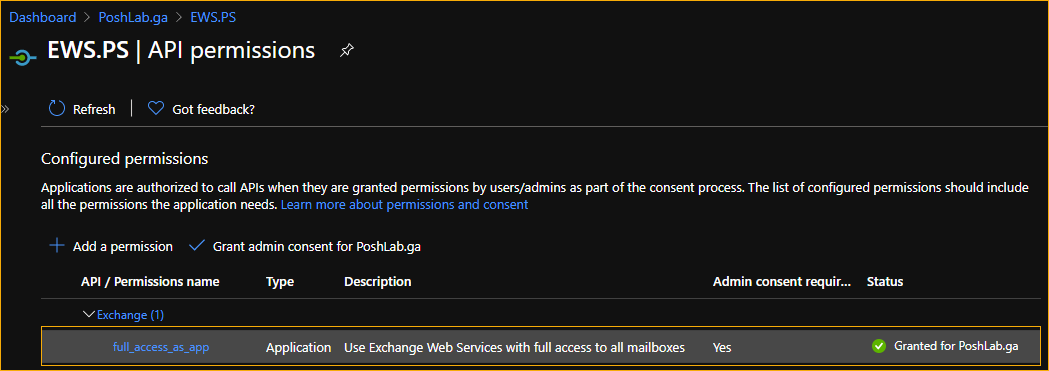
A registered Azure AD App with full_access_as_app API permisson
Windows PowerShell 5.1
For getting access tokens, you can have either MSAL.PS or ADAL.PS
How To Install The Module
Download the module and extract the ZIP file on your computer.
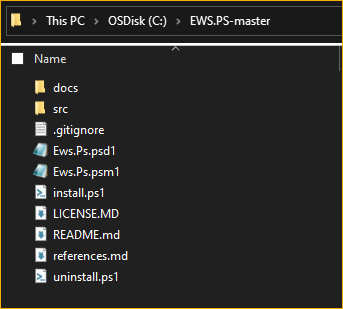
Extract the module files on your computerOpen PowerShell as Administrator, change the working directory to the location of the module.
Run the script
.\install.ps1 -ModulePath 'C:\Program Files\WindowsPowerShell\Modules' -Verbose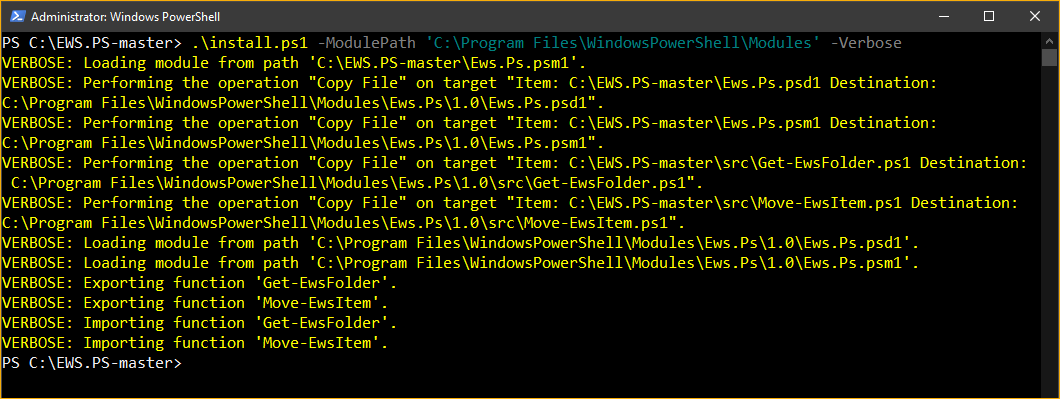
Install the module
How To Uninstall The Module
- Open PowerShell as Administrator, change the working directory to the location of the module.
- Run the script
.\uninstall.ps1 -Verbose.
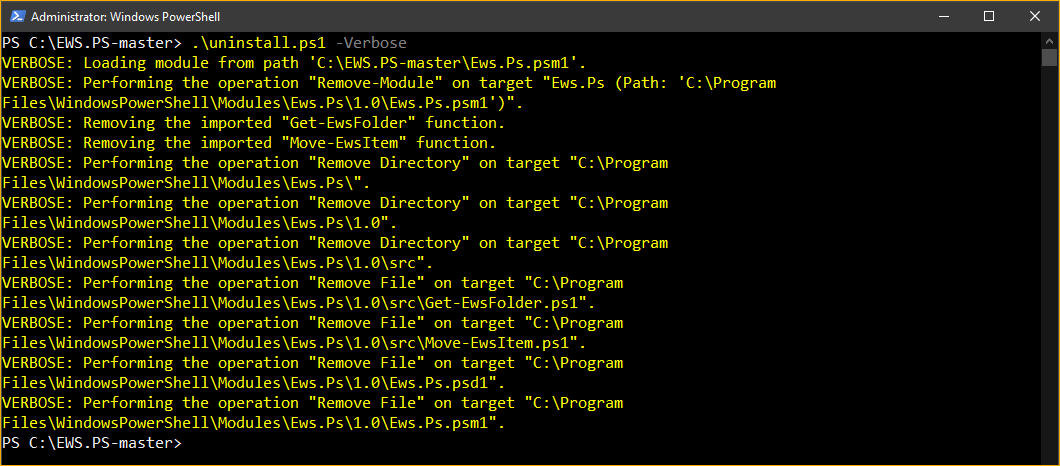
Uninstall the module
OAuth Access Token Requirement
Make sure to acquire an access token first. Use the Get-MsalToken cmdlet or Get-AdalToken.
Get Access Token Using MSAL.PS
# Get MSAL Token using CLIENT ID,  CLIENT SECRET, and TENANT ID
$msalParams = @{
    ClientId = 'CLIENT ID'
    ClientSecret = (ConvertTo-SecureString 'CLIENT SECRET' -AsPlainText -Force)
    TenantId = 'TENANT ID'
    Scopes   = "https://outlook.office.com/.default"
}
$token = Get-MsalToken @msalParams
Get Access Token Using ADAL.PS
# Get MSAL Token using CLIENT ID,  CLIENT SECRET, and TENANT ID
$msalParams = @{
    ClientId = 'CLIENT ID'
    ClientSecret = (ConvertTo-SecureString 'CLIENT SECRET' -AsPlainText -Force)
    TenantId = 'TENANT ID'
    Resource   = "https://outlook.office.com/"
}
$token = Get-MsalToken @msalParams
Visit the MSAL.PS GitHub page to learn more about using MSAL.PS module to acquire OAuth access tokens.
Usage Examples
- List All Folders In A Mailbox
- Find A Folder Using Folder Name
- Find A Folder Using Folder ID
- Move All Items from One Folder to Another
- Move Items Received Between Specified Dates
- Gaming
- Turu